Time Usage Model
The Time Usage Model is used to define how an equipment’s time is classified according to the operational states recorded during the simulation. It allows users to create time fields/categories and specify which equipment states are included in each field.
This enables simulation results to be grouped into meaningful time categories that can later be used for reporting and performance analysis.
It is important to distinguish between Time Usage Model categories in mine planning and what is being allocated in this work step.
Each equipment type has a specific action in the simulation which needs to be allocated to a time category. e.g. what time category does queuing belong to?
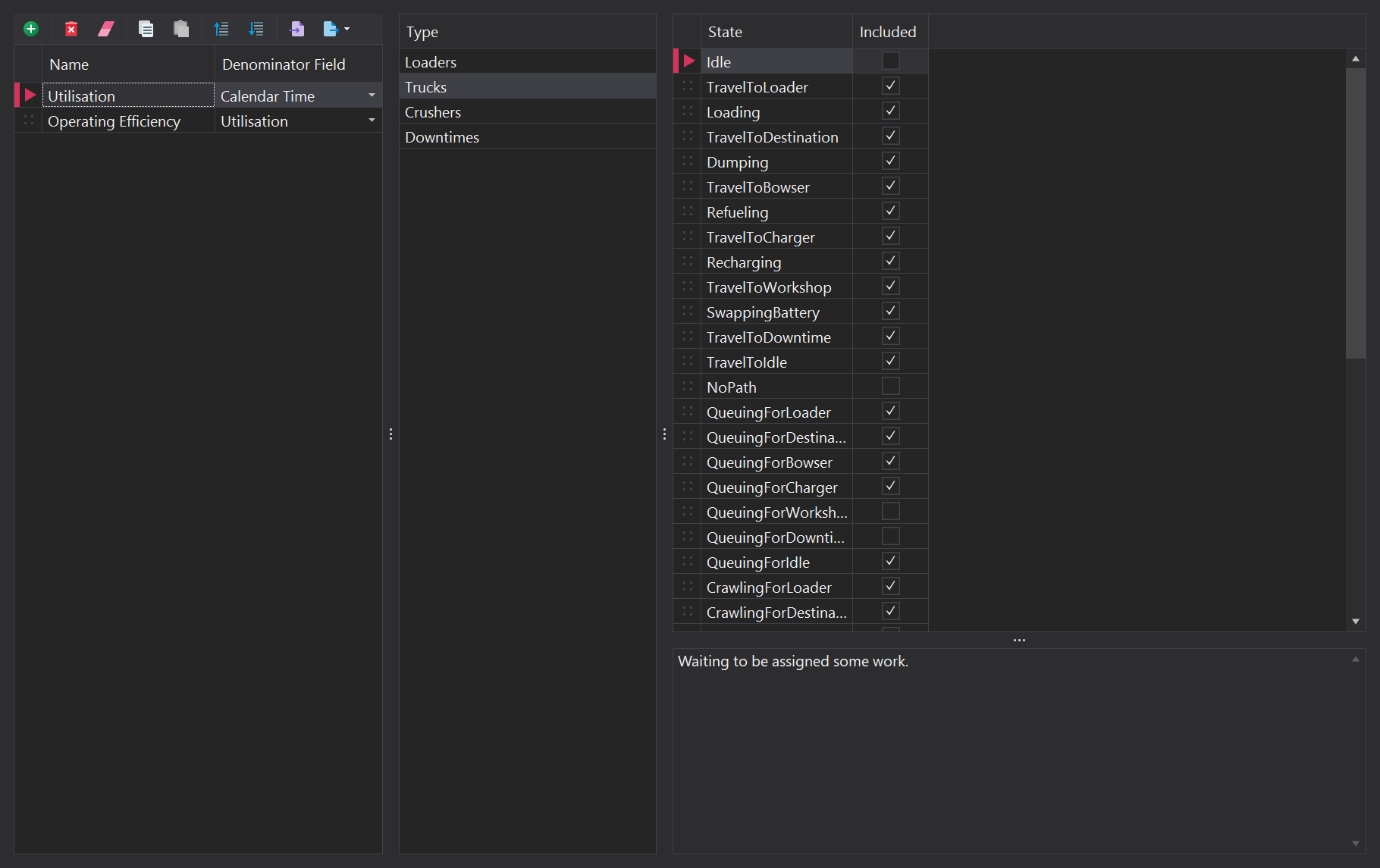
Time Fields
Each Time Usage Model entry contains the following parameters:
| Input | Description |
|---|---|
| Name | Defines the name of the time field being created. The name should represent the type of time being classified, such as Operating Time, Productive Time, or Available Time. |
| Denominator Field | Specifies another time field used as the denominator when the field is used to calculate a ratio or proportion. For example, Calendar Time may be selected when calculating utilisation or availability. |
Equipment Type
After creating a time field, select the equipment type to determine which operational states are included.
The available types include:
- Loaders
- Trucks
- Crushers
- Downtimes
Selecting a type displays the states associated with that equipment type.
States
The State section displays the operational states available for the selected equipment type.
Use the Included checkbox to determine whether time spent in each state contributes to the selected time field.
For example, for a loader, available states may include:
- Idle – The loader is not currently performing productive work.
- WaitingForTruck – The loader is waiting for a truck to arrive.
- LoadingTruck – The loader is actively loading a truck.
- Refueling – The loader is undergoing refuelling.
When a state is selected in the Included column, the amount of time spent in that state during the simulation is included in the selected Time Usage Model field.
Note: The available states depend on the selected equipment type and the configuration of the simulation.
Creating a Time Usage Field
To create a Time Usage Model field:
- Select Time Usage Model from the Setup navigation panel.
- Click the Add button to create a new field.
- Enter a descriptive Name for the field.
- Select the appropriate Denominator Field, if required.
- Select an equipment Type.
- Review the available operational States.
- Select the Included checkbox for each state that should contribute to the field.
- Repeat the process for other equipment types where required.
The configured fields can then be used to classify equipment time consistently for simulation reporting and performance analysis.